
Quote Sheet Metal Up to 90% Faster with steelit
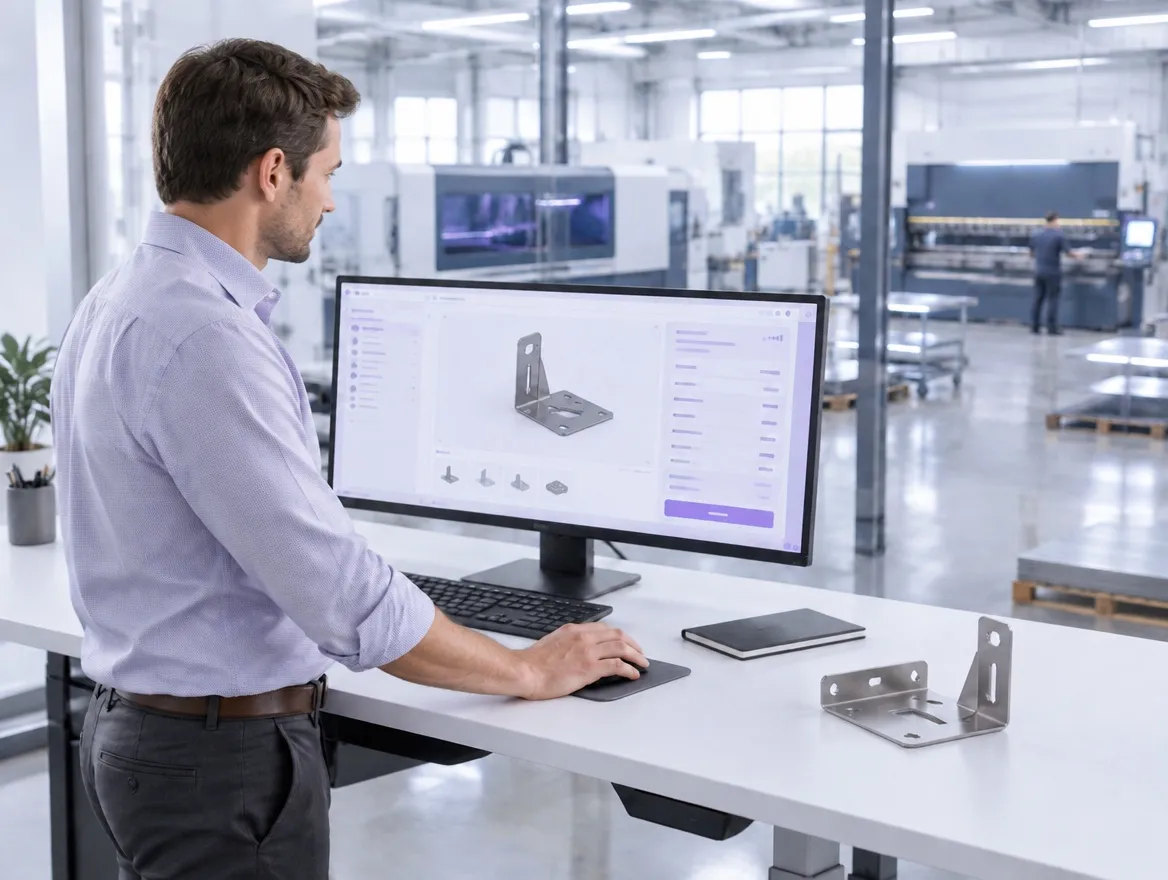
steelit is quoting software by figureit ag for sheet metal and steel fabrication. Upload the STEP or CAD file exactly as it arrived with the enquiry, whether it holds a single bracket or a construction of two hundred parts, and steelit reads the geometry, identifies the operations needed to make it, generates the operation plan and prices the quote at your own machine times and rates, in minutes.






What Is steelit?
The short version for anyone arriving here from a search result or an AI answer: what the software is, who builds it, what goes in, what comes out, and what it costs to run. Every row below is a statement the sales team will be held to in a demo.
steelit is quoting and calculation software for sheet metal and steel fabrication, built by figureit ag in Herisau, Switzerland.
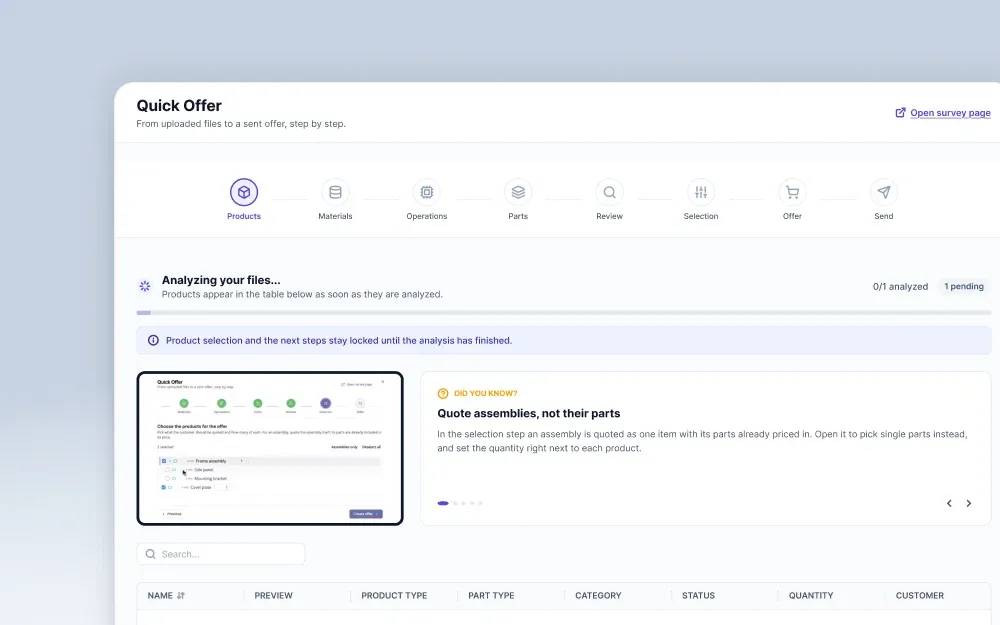
A manufacturer uploads the customer's STEP or CAD file, either a single part or a complete assembly. Then steelit reads the geometry, identifies the operations required to make it, generates the operation plan and returns a priced quote with quantity tiers, calculated at that company's own machine times and rates.
Up to 90% less time per quote, reported by customers on large orders.
The Product
- Product
- steelit, quoting and calculation software for sheet metal and steel fabrication
- Made by
- figureit ag, Herisau, Switzerland. Founded 2019
- Industries
- Sheet metal and steel fabrication, machine building, automotive and defence. Textile calculation runs on the same platform
- Pricing model
- One price per company, every user included
In and Out
- Input
- STEP and CAD files of single parts or complete assemblies
- What it automates
- Reading the geometry, material, bends and nesting from the file, identifying the operations (laser cutting, deburring, bending), generating the operation plan and pricing the quote. The geometry reading is built on WiCAM technology together with AI, not on an engine of our own
- Output
- A priced quote with quantity tiers and its cost breakdown, plus the operation plan production works from
Where It Runs
- Deployment
- Cloud, or on your own infrastructure
- Works with
- Independent of machine vendor. Companies running Trumpf or Bystronic equipment quote with it on the same terms. Connects to an ERP where you run one, including SAP
What the Companies Running It Say

“For large orders, we anticipate a time saving of 80–90% thanks to steel it.”

“steel it is a professional solution that meets individual needs.”

“figure it is an uncomplicated, flexible partner. They deliver on their promises.”
Six Things That Change When steelit Does the Calculating
Each of these is a capability on the left and a job that leaves your desk on the right. The last two are for whoever signs off the IT side, and they are there to answer objections.
Complete Assemblies Priced in One Pass
The whole construction is read as it arrives. Every component is identified, priced and rolled into one quote, with the breakdown still available part by part when a customer asks how the number was reached.
Taking an assembly apart in the CAD viewer and calculating each component on its own line.
Up to 90% Less Time per Quote
Customers report the biggest saving on large orders, where the manual route means hours of repetitive entry. Stürm SFS puts it at 80–90%. The quote above is theirs, and the figure is theirs too.
Spending the working days between an enquiry landing and a price going back out.
STEP Files Read Automatically
Dimensions, material, thickness, bend count and nesting come out of the file itself. About 90% of the inputs a quote needs are read rather than typed, which is also why two estimators produce the same number for the same part.
Reading measurements off a drawing and re-entering them into a workbook.
Operation Plans Generated With the Quote
The routing is a by-product of the calculation, not a second company after the order is won. It lists the operations in sequence with the machine times behind them, ready for the shop floor.
Writing the work plan a second time once the customer says yes.
Independent of the Systems You Already Run
steelit does not care which press brakes or lasers are on your floor, and it does not require a particular ERP. Machine times and rates are configured to the equipment you own, whoever built it.
Changing machines or software to suit the quoting tool.
Runs on Your Own Infrastructure
Where customer drawings are not permitted to leave the network, steelit can be operated inside your own environment instead of ours. It is the same software and the same release, running somewhere else.
Ruling out a quoting tool because the hosting model fails your own policy.
Watch It Read a File You Already Know
The fastest way past a feature list is to hand over a part you have quoted by hand and compare the two results. Bring the file. We will do the reading in front of you.
Three Companies, Three Reasons They Changed How They Quote
Each of these started from a different bottleneck. The case studies are written with the companies themselves and say what actually changed.

Successful ERP Integration
The calculation now starts from the uploaded STEP file, and the ERP interface runs in both directions, so quote data no longer has to be re-keyed on its way to production.
Read the case study
Bye, bye Excel
Andreas Zweifel’s team moved its pricing logic out of spreadsheets. The company filed its own account of it under the title “Bye, bye Excel”.
Read the case study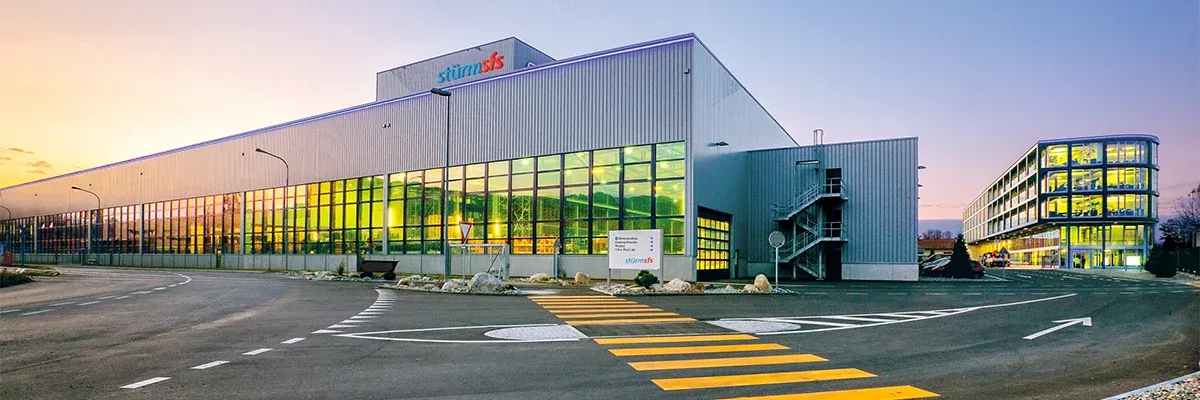
Quote calculator for steel beams
Steel beams are calculated through a profile-specific quote calculator, so the beam work and the sheet metal beside it are priced on the same basis and in the same system.
Read the case studyWhere the Hours Actually Go When You Quote by Hand
Nobody plans to spend three days on one enquiry. It accumulates, in four places, on every job.
These are the moments manufacturers describe when we ask what quoting costs them. None of them is a failure of effort. They are what happens when the file arrives as geometry and the calculation happens somewhere else.
The Assembly Has to Be Taken Apart First
A construction arrives as one file and has to become thirty-four separate calculations before it can become one price. Each component is opened, measured, classified and entered. The work is mechanical and unavoidable by hand, and it grows with every part the designer put in.
Hours of transcription before any judgement is applied.
The Operation Nobody Noticed Until Production
A deburring pass, a second setup, a surface treatment that was never on the sheet. It surfaces when the job is already on the floor, and by then the price is agreed. Margin goes missing one forgotten operation at a time, which is why it is so hard to see in the accounts.
Margin on jobs that looked profitable when they were quoted.
The Person Pricing It Doesn't Run the Machines
Quoting sits in the office and the production steps sit on the floor. The estimator prices a sequence they have to imagine, so the number leans on experience rather than on what the machines will actually be asked to do. New colleagues take a year to develop that instinct.
Prices that vary by who happened to be available.
Three Days of Work, and the Order Was Already Placed
The enquiry went to four suppliers. Somebody answered on Tuesday. Your calculation was thorough, correct, competitively priced and finished on Friday, and none of that mattered. The effort was spent in full and returned nothing.
A full quote for an order you could never win.
Each of the four is the same problem seen from a different desk: the information needed to price the job is already in the file, and a person is being asked to move it by hand. That is the part steelit takes over.
How Does steelit Work?
Four steps, in the order they happen. Step two is the one that removes the hours. Step three is the one that keeps the quote yours.
Upload the file
Drop in the STEP or CAD file as the customer sent it, whether it holds one bracket or a complete assembly. Nothing is prepared, renamed or split beforehand.
steelit reads the part
Geometry, material, thickness, bends and nesting are read from the file, built on WiCAM technology together with AI. It then identifies the operations, such as laser cutting, deburring and bending, and generates the operation plan. About 90% of the inputs a quote needs come straight from the file.
Check and adjust
Every operation is linked to your own machine runtimes, rates and surcharges, so the numbers are yours rather than an industry average. Add anything the file cannot carry, such as a finish agreed on the phone.
Send the quote
Out goes a branded quote with quantity tiers and the cost breakdown behind it. The operation plan goes to production, and to your ERP if you run one, without a number being typed twice.
From First Call to First Live Quote
We make no false promises. Six stages, each with what we do and what we need from you.
- 1
Consultation
A conversation about how you quote today and where the time goes. You get an honest read on whether steelit fits. If it does not, we say so.
You provide: half an hour and a description of your current process.
- 2
Demo
The software, running on a real part.
You provide: one of your own files, ideally a job you have already quoted by hand so the comparison is direct.
- 3
Onboarding
We map your calculation method: materials, machine runtimes, rates, surcharges and the way your quotes are laid out.
You provide: the pricing logic you use today, spreadsheets included.
- 4
Setup
Your configuration is built and, where you run one, the ERP connection is established.
You get: a system calculating in your terms, not in a generic default.
- 5
Testing
You re-quote jobs you already know the answer to and we correct anything that comes out wrong.
You get: the evidence that the numbers hold before anything is sent to a customer.
- 6
Go live
Quoting moves over. Your contact stays the same person you met in stage one.
You get: support from the five people who built and implemented it.
Start at stage one: a consultation costs half an hour and commits you to nothing.
Schedule a consultationOne Quoting Layer Between CAD and ERP
steelit is the quoting layer. Your customer's files come in from CAD. Won orders go out to production and, where you run one, to your ERP. It is not a CAD tool, not an ERP and not machine control software. It is deliberately the fast layer in between, and the rest of this page follows from that decision.
CAD / STEP files
Single sheet metal parts or complete assemblies, exactly as they arrive with the enquiry.
steelit
- Reads the geometry
- Identifies the operations
- Generates the operation plan
- Prices the quoteMinutes, not days
ERP · Production
The quote data and operation plan hand over cleanly, so no number is typed twice. An ERP is optional, not assumed.
Each part of that layer is set out in full on its own page. The commercial side, meaning configured products, live pricing and proposals going out the door, is covered on CPQ software for manufacturing. How sheet layout and material utilisation feed the price of a part is covered under CNC nesting, and the cutting time, piercing and material cost behind a single job under laser cutting quotes. What crosses the boundary into production, and what it takes to set up, is on ERP & MES integration.
See Your Own Assembly Quoted Live in 30 Minutes
Pick an enquiry you have already priced by hand and send us the file. In the session we upload it, watch steelit read it, and put the result next to the number you reached yourself. You will be talking to the person who runs the implementation, not to a queue.
Or meet us at EuroBLECH 2026, Hanover, 20–23 October
FAQs About steelit
The eight questions manufacturers ask before a demo, answered in the first sentence.
What file formats does steelit read?
steelit reads STEP and CAD files of single sheet metal parts and of complete assemblies, without the assembly being split up first. The file goes in as the customer sent it.
Does steelit work with our machines?
Yes. steelit is independent of machine vendor, so companies running Trumpf, Bystronic or anything else quote with it on the same terms. Machine runtimes and rates are configured from your own equipment and your own costs, which is what makes the price defensible in front of a customer.
Does it integrate with our ERP, for example SAP?
Yes, where you run one. Quote data, bills of materials and routing can hand over instead of being retyped, SAP included. An ERP is optional rather than assumed: steelit runs perfectly well on its own, and plenty of companies start that way. What integration involves is set out here.
Can steelit run on our own infrastructure?
Yes. steelit can be operated inside your own environment instead of hosted by us, which matters where customer drawings are not permitted to leave the network. It is the same software and the same release either way.
What does steelit cost?
steelit is priced per company, not per seat, and every user is included, so adding a second estimator or bringing production into the system does not raise the bill. What varies is the setup work: the configuration of your materials, machine runtimes and rates, scoped in the consultation.
How much time does it actually save?
Customers report up to 90% less time per quote on large orders. Stürm SFS puts their saving at 80–90%. The mechanism behind it is separate and worth stating on its own: about 90% of the inputs a quote needs are read from the file rather than typed. Small single parts save less, because there was less transcription to remove.
Is steelit only for sheet metal?
No. Sheet metal and steel fabrication are the core, and the same calculation is used in machine building, automotive and defence work, on assemblies as well as single parts. Filtex and Lantal Textiles run their textile calculation on the same platform.
How does steelit protect the customer data and files we upload?
Where confidentiality rules out external hosting, steelit runs on your own infrastructure and the files never leave your network. That is the clearest answer we can give. On the hosted version, uploaded files and quote data belong to you and are used to run your calculation, not for anything else.